
Overview
I'm sharing my recap of SLASH24, the developer conference hosted by Toss.
SLASH
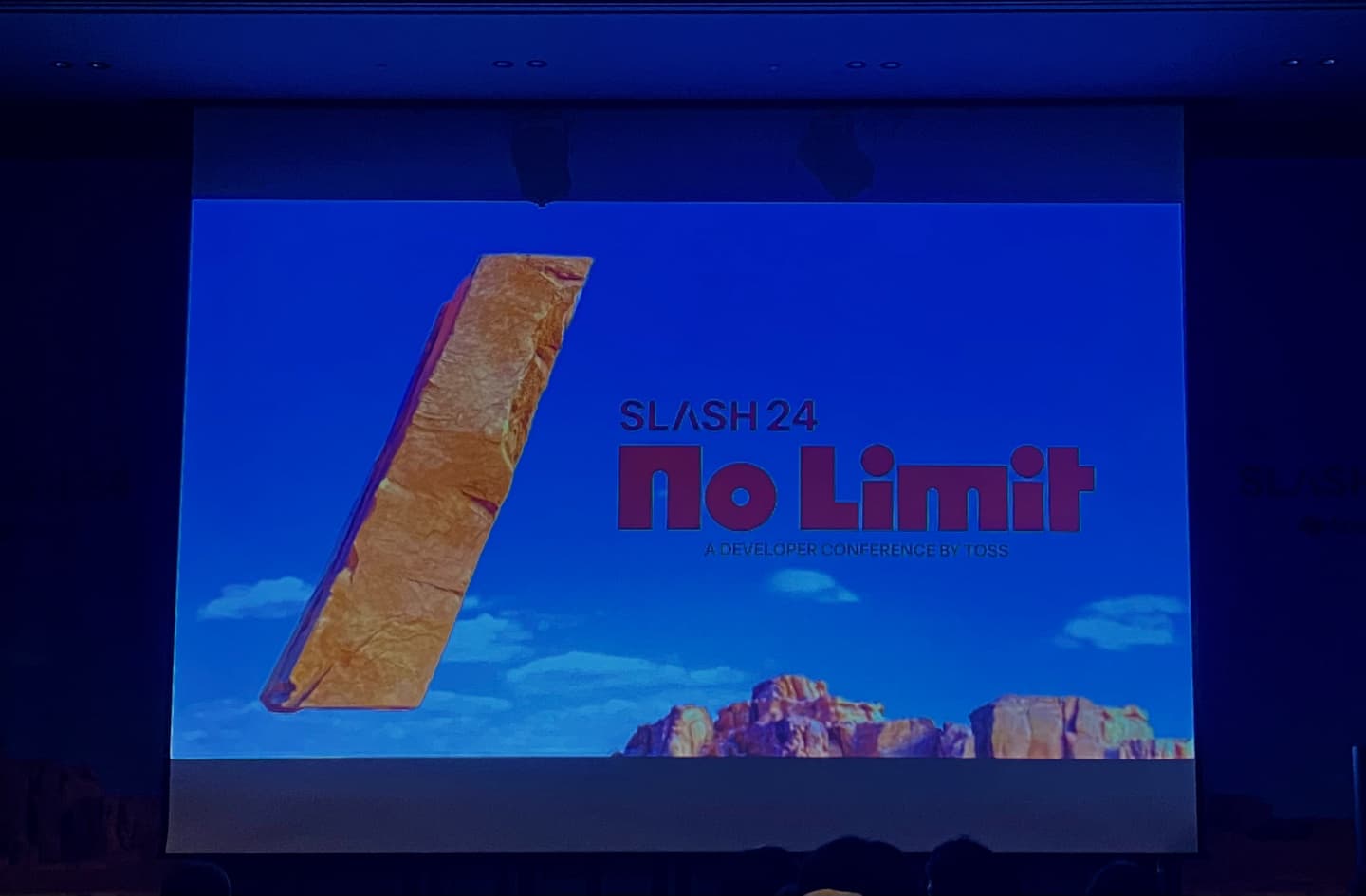
SLASH is the symbol that goes in front of commands when you code, and it's also meant to say that technological innovation leaves a mark on the world. Starting from a blinking /, the goal of SLASH24 is to keep finding new problems and taking them on, then share what the Toss team has achieved and learned on the other side of those problems. This was the 4th SLASH, and the first one ever held offline, at the Grand Ballroom in COEX.
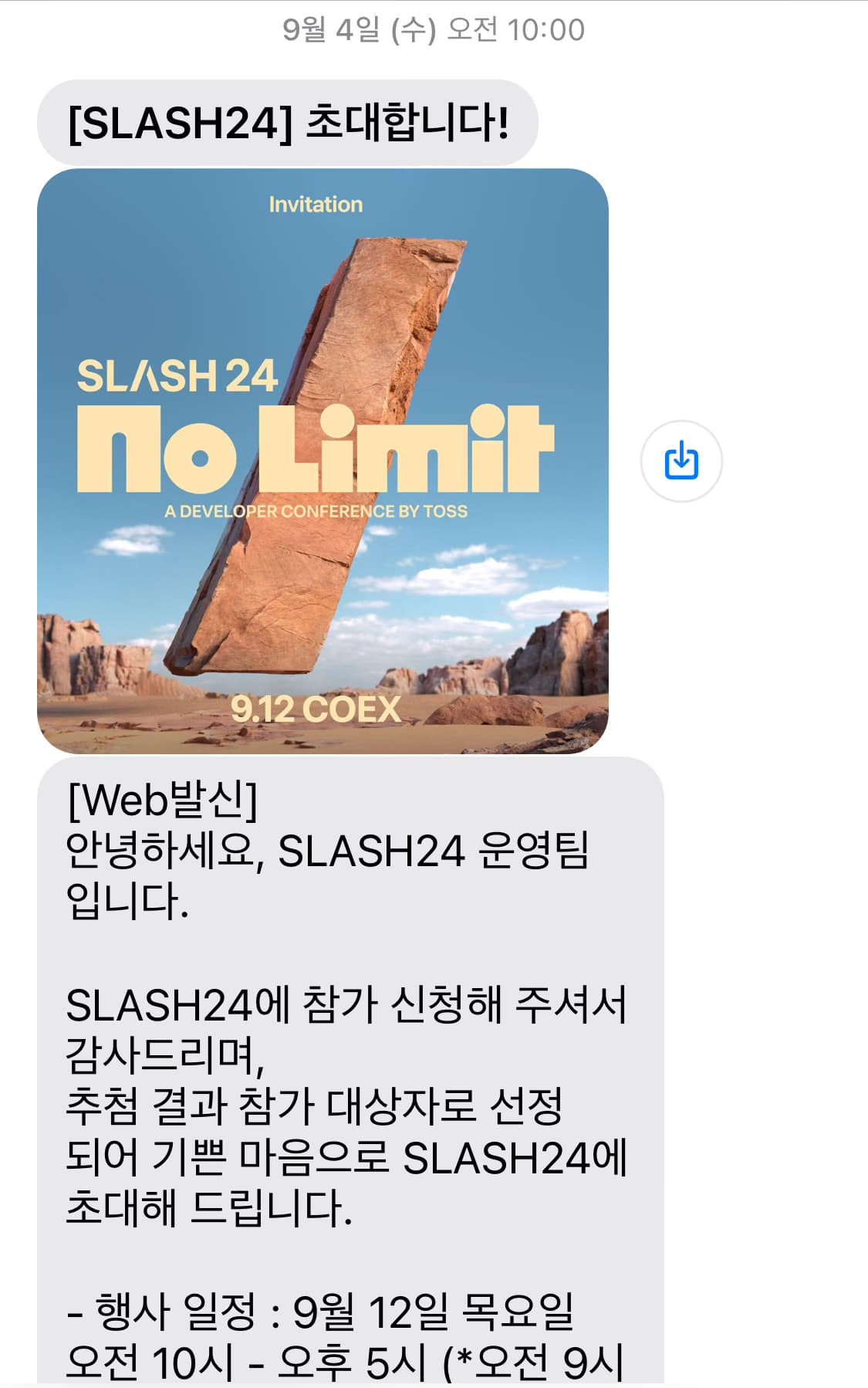
I'd always wanted to go to a developer conference, and I got lucky and made it into SLASH24. If you get picked, you receive a message like the one below, and on the day you can get in with the QR code they send you.
SLASH was made up of dev chats with the speakers, sessions for each track, and all kinds of events.
Since I'm a frontend developer, I was naturally drawn to the frontend sessions. I made a list of the sessions and dev chats I really wanted to attend, and went to those.
For the dev chats, you had to reserve a spot in advance.
- How Toss is innovating offline payments to be fast and reliable
- In search of lost productivity: debugging with React Native
- Elegant automatic logging with a Yarn Plugin
- N tabs, a single WebSocket: SharedWorker
- SharedWorker dev chat
All of the sessions were interesting, but the one that left the biggest impression on me was "N tabs, a single WebSocket: SharedWorker". So I'll build this recap around that session.
N tabs, a single WebSocket: SharedWorker
This session walked through how Toss Securities solved the problems that came up when it expanded from mobile-only to desktop.
The problem the Toss team faced
Toss Securities was originally a mobile service, and when it started supporting desktop, there were new problems to solve. The Toss team was using WebSocket to get real-time securities data.
What is a WebSocket?
A WebSocket is a protocol that enables real-time, two-way communication between a client and a server. Unlike regular HTTP, a WebSocket keeps a persistent connection open so the client and server can keep exchanging data. It's especially well suited to services that need real-time data. (e.g. chat, stock trading)
A simple WebSocket connection looks like this:
const socket = new WebSocket("ws://localhost:8080");

socket.addEventListener("open", () => {
  console.log("웹소켓 연결 성공!");
});

socket.send("데이터 전송!");

socket.addEventListener("message", (e) => {
  console.log("서버로부터 메시지 수신: ", e.data);
});
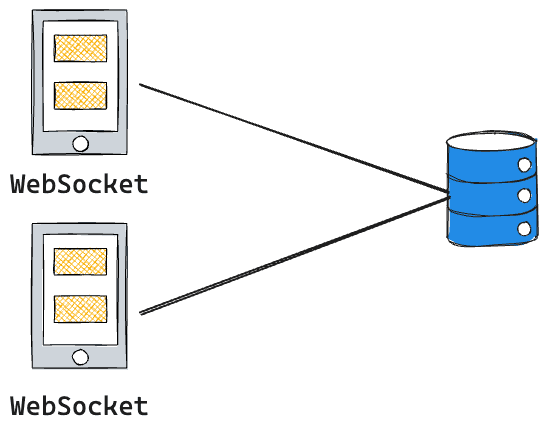
So what problem came up that the Toss team had to solve? The biggest difference between a mobile app and a desktop environment is that on desktop, when you open several tabs in a browser, each tab runs independently. Each tab being independent means each tab has its own WebSocket connection.

From a trader's point of view, not a typical user's, it's very common to open lots of tabs to watch real-time data for different stocks. Apparently some traders open up to 50 tabs to keep an eye on real-time data. 📈
To look at each connection setup clearly, I drew it out like this:
Mobile
Desktop
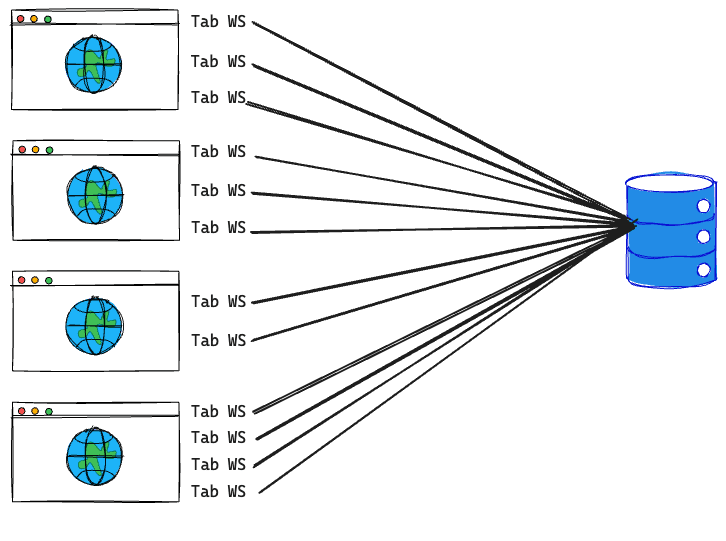
What happens when you end up with independent WebSockets like this? Because every tab is independent, many WebSocket connections get created between the server and the clients, which puts load on the server. In other words, server resources get wasted. For developers who hate duplication and love reuse, this is an absolute horror show. 🫨
So how did the Toss team get out of this situation? They first considered approaches that cut the connection, like these:
-
focus / blur events
- Create the WebSocket connection only when a tab is active, and close it when the tab is inactive
- Problem: data can only be received while the tab is active, which hurts the user experience
-
visibilitychange event
- The visibilitychange event fires when the visibility of a web page changes
- Create and close the WebSocket connection every time the user switches tabs
- Problem: you still get as many WebSocket connections as there are visible tabs
Neither of these approaches solved the root problem of WebSockets being created independently.
The solution
Since cutting connections couldn't fix the root problem, they had to find a new solution. The fundamental fix was to find a way for every tab in the browser to share a single WebSocket connection, like in the picture below.
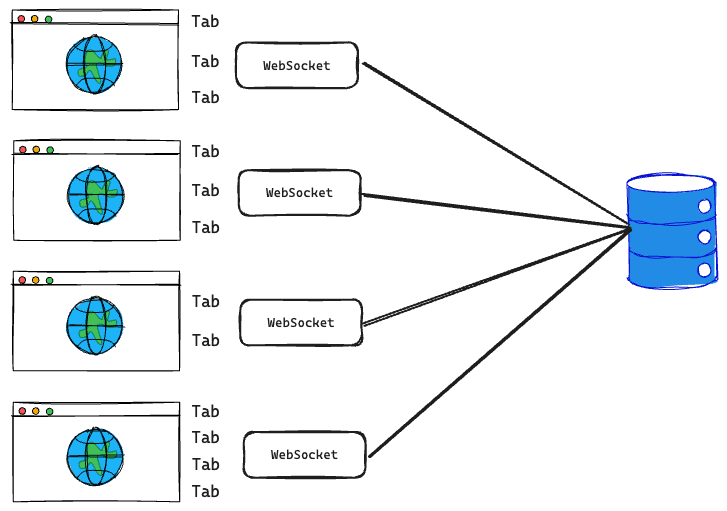
To stop WebSockets from being created and connected independently for every tab, the Toss team adopted SharedWorker from the Web Workers API.
Web Workers API
The Web Workers API is a browser API that lets you run scripts in a separate background thread, apart from the main execution thread. JavaScript is designed to be single-threaded, so it can only do one thing at a time. With a web worker, you can run work in a separate background thread.
The JavaScript file you designate as a worker runs in a worker thread, which has a global context completely different from the window. However, not everything can be run in a worker thread. You can't manipulate the DOM from a worker thread, and some methods and properties of the window object aren't available. WebSocket, though, can be used in a worker thread. The worker and the main thread exchange data using a messaging system.
A worker used by a single script is called a Dedicated Worker, and a worker used across multiple browsing contexts is called a Shared Worker.
-
Dedicated Worker
- Single connection: it can only be accessed from one script, and can only communicate with the script that created it.
-
Shared Worker
- Multiple connections: it can be accessed from multiple tabs, and multiple scripts within the same domain can share that worker instance.
- Cross-tab communication: tabs can send messages to each other, so multiple tabs can share the same data or keep the same state.
As you can see above, with a SharedWorker, tabs can exchange data through a single WebSocket. SharedWorker supports communication between tabs through the Channel Messaging API.
This API uses MessageChannel's port, MessagePort, to let you send messages between different ports.
So data can now be shared in real time in the shape of tab - SharedWorker + WebSocket - server. They also made it so that in browsers that don't support SharedWorker, a Dedicated Worker is used as a fallback.
Challenges in the actual implementation
- Bundling
When specifying the path to the web worker file, using a relative path caused the bundler to fail to find the file. Here's how to get around that:
const worker = new SharedWorker(new URL("./worker.ts", import.meta.url));

// 변환

const worker = new SharedWorker(new URL("./chunks/q1w2e3r4.js"));- Memory leaks
When a tab was closed, the SharedWorker instance stayed in memory.
The BeforeUnload event, which fires when a tab closes, isn't called if you close the tab while it's minimized.
To solve this, they said they combined WeakRef with MessagePort to detect tab closing using garbage collection.
When a tab closes, its MessagePort gets garbage collected and released from memory. But the SharedWorker keeps its MessagePort objects in an array, so garbage collection never happened.
They fixed this by using WeakRef so that garbage collection could happen.
WeakRef provides a weak reference to an object, allowing it to be cleaned up by the garbage collector.
The WeakRef syntax looks like this:
const obj = { name: "Ye" };
const weakObj = new WeakRef(obj);

if (!weakObj.deref()) {
  console.log("객체가 메모리에서 해제되었습니다.");
}
They manage the connected ports with WeakRef, and when a tab closes, those ports get released, which prevents the memory leak.
Honestly, WebSocket, the Web Workers API, and WeakRef were all pretty unfamiliar to me, so after this session I really wanted to study them on my own. I have to study this again and write it up ❗
Dev chat
The dev chat was a networking program where you could get closer to the speakers who had given the sessions. Through it, I could ask the speakers questions and have deeper conversations. I was curious how they validated the technology while solving a problem like this, so I asked about that. I was told that since there were almost no examples of sharing a WebSocket across tabs with SharedWorker, they validated it by referring to the W3C spec and MDN.
The domain I work on isn't a service that mainly relies on real-time communication, but the process of identifying the problem and then finding the solution really impressed me. Understanding the root problem and then bringing in new technology to solve it was inspiring to me as a developer.
Final thoughts
When I heard that ten thousand people applied and two thousand were selected, I thought, wow, Toss really has some pull. There were sessions on different tracks running in 5 separate spaces, and with programs like the dev chat, I could talk more closely with the speaker of each session, which was great.
Listening to the sessions, I got a glimpse, even if only a small one, of how the Toss team works. In particular, I could see the whole process of how they identify a problem and solve it. When there's no exact solution for a problem, they build the one they need themselves, and that struck me as so very developer-like. I also learned that what matters is not just finding a way out of the situation, but finding a way to solve the root problem.
Before, I found being a developer fun just because I could draw something on the screen. But lately I've come to know the joy of solving problems, and I've found it fun to bring in new technology to solve them. This conference reaffirmed that feeling for me.
I got a lot of motivation from the conference. Thank you to Toss for hosting such a worthwhile event.